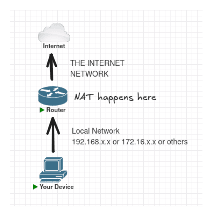
Help! I can't understand NAT!
"What the hell is NAT!?!?"
You might be asking. Sure, it might sound confusing at first (I mean, who doesn't on their first time), but I'll break it down to you here.
Private IP vs. Public IP
First things first. Try going to your machine's terminal.
On Windows machine, open up Command Prompt or Powershell and type:
ipconfig
On Linux machine, open up terminal and type:
ip address
You might see something like 192.168.x.x or 172.16.x.x. Here's an example from my machine:
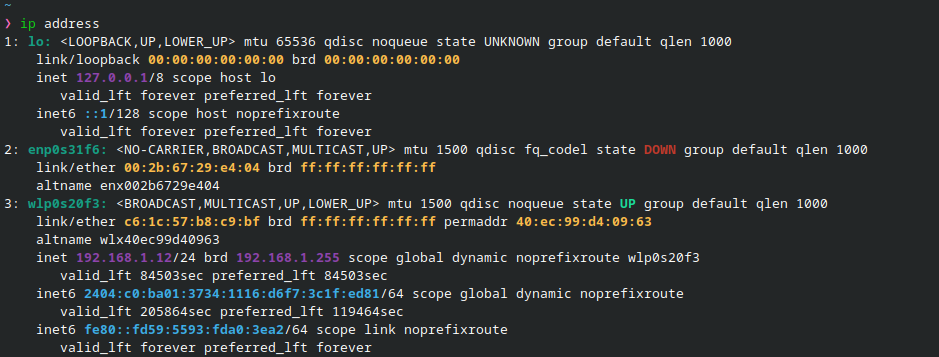
Private IP addresses can be anything, but most Internet Service Providers, especially the home one, gives out either 192.168.x.x or 172.16.x.x.
People often mistake it of being able to track your location if you expose it to public--but no. It's just your local network's address, nothing public at all, so it's pretty much safe.
Now, how do we find out our public IP address on our machine? The answer is... we can't.
But why? It's because our device doesn't have public IP address. We are merely borrowing the public IP address that our Internet Service Provider use.
To find out what public IP address that we use, we can use this website.
From there, you could see what public IP address that you currently "borrow". Here's an example of mine (obviously I had to censor it):
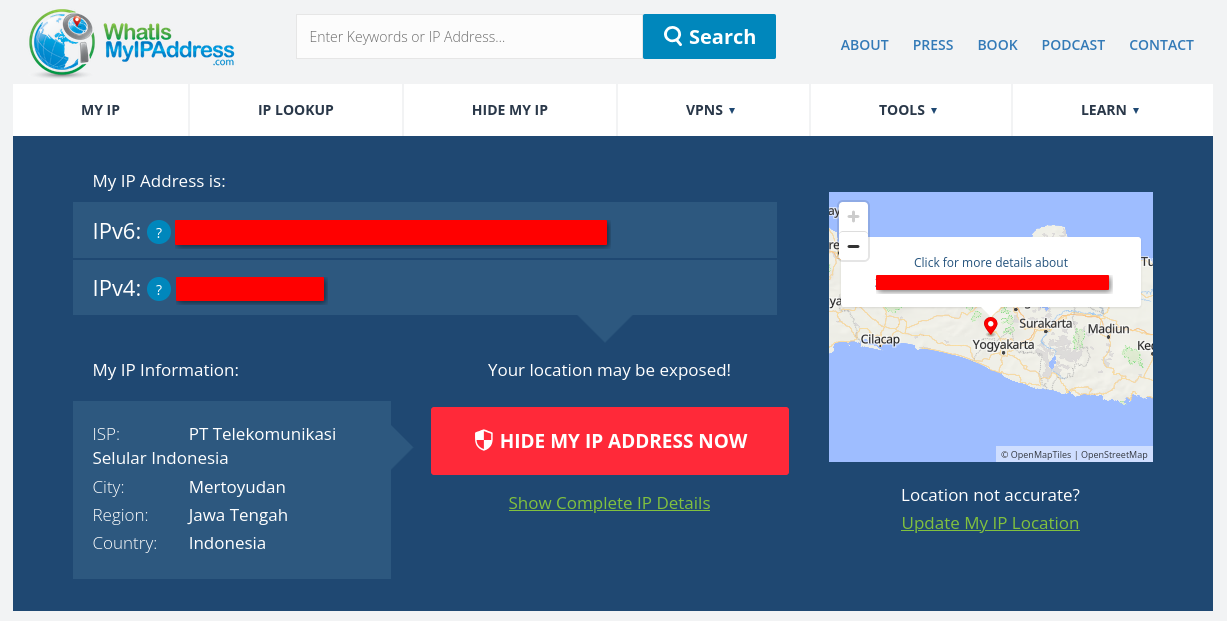
That's the one you don't want to expose to people. You don't see your private IP address there because your private IP address gets translated to the public address that your ISP uses, which is shown there.
Then, what does NAT do?
Basic networking knowledge states that one subnet of network could never reach different subnet of network. In this case, your device with private IP address could never reach public devices (internet), unless it is routed or, you guessed it, NAT.
As its name suggests, Network Address Translation, or NAT, it "translates" your private IP address to the public address that your internet service provider use. It happened on the router, not on your device.
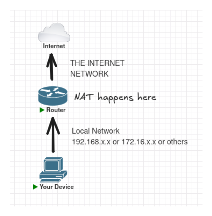
The process of NAT happened on the router. When you send a packet or request, the source address of that packet, which is still your local and private network, is modified into the public IP address, so it can reach the public devices (internet).
Types of NAT
There are actually two types of NAT.
- srcnat (Source NAT)
- dstnat (Destination NAT)
srcnat modifies the source address of sent packets, like the example above. dstnat modifies the destination address of sent packets.
But we'll focus on srcnat this time, as I figured it might help you understand how NAT works more than dstnat.
The srcnat NAT Analogy
Think of your home network as an apartment complex.
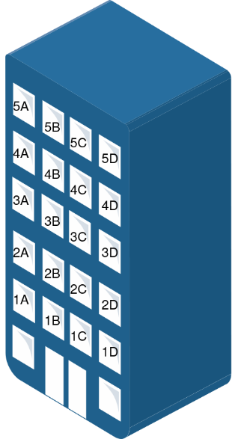
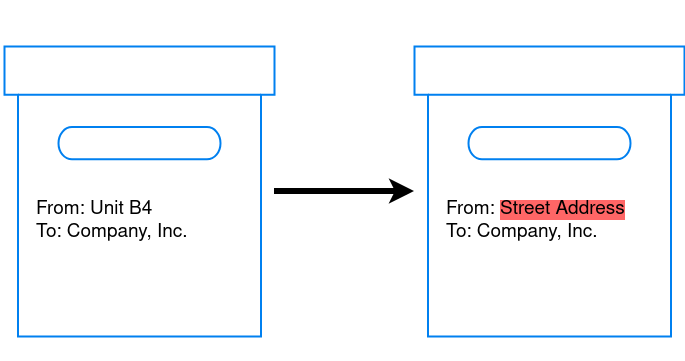
Each resident has their own room unit number. It's unique within the building, but means nothing to the outside world. You can't just receive a letter from stranger if you just write "B4" on the envelope. They need real street address.
The apartment complex has one street address. It's the address the "outside world" knows and cares about.
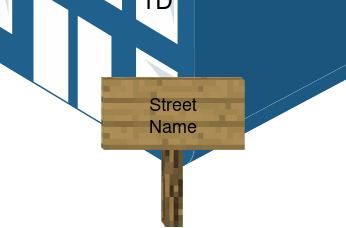
Now, every time a resident wants to send a letter or packet out, they hand it to the front desk (your router). The front desk stamps the building's street address on as its return address, not your room unit number.
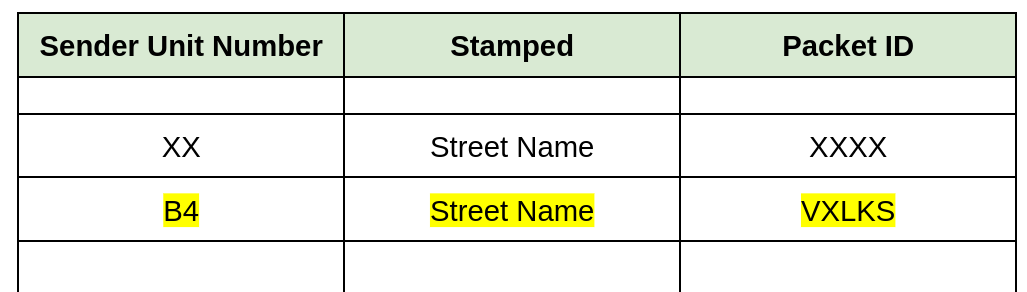
They will then write a log on their logbook that someone from Unit B4 sent this packet.
When the reply comes back addressed to the building, the front desk checks their logbook.
"Ah, this reply is for the letter Unit 3 sent earlier," for example. They will then deliver it to the right resident.
The "outside world" never knew it was talking to the Unit 3. They only ever saw the building's address.
Analogy Comparison
Now, let's compare the analogy to the actual process of srcnat NAT.
| Apartment Complex | srcnat process | |
|---|---|---|
| Each room in the apartment complex has their own unit number | Each device in a private network has their own private IP address | |
| The apartment complex has a Street Address | The router has a public IP address | |
| When a resident inside that apartment complex sent something, the frontdesk stamped the sender's Unit Number address with the apartment's street address | When a device in that private network sent a packet, the router modifies the private IP source address with the router's public IP address | |
| The frontdesk wrote a log that the resident from their unit number sent this packet | The router wrote an entry in the Connection Tracking Table, records the private IP address, the port, and the translated public IP and port | |
| When a reply arrives at the building, the front desk checks the logbook to find which unit the reply belongs to, then delivers it | When a reply packet arrives at the router, it checks the connection tracking table to find the matching private IP and port, then forwards the packet to the correct device |
What about dstnat?
Almost the same thing as srcnat, except that dstnat "stamped" the destination address instead.
For example, you set a NAT rule on the router that if a packet or request from the outside of the private network has the destination port of 5678 (for example), then forward it to a specific address inside the private network.
The real life scenario would be... say you're hosting a website on a server inside your home network at 192.168.20.5, port 80.
The problem is, the outside world can only see your router's public IP, that is 100.100.100.100. They have no idea 192.168.20.5 even exists.
So you set a dstnat rule: "any request coming in to 100.100.100.100 on port 80, forward it to 192.168.20.5:80."
When 85.85.85.85 sends a request to 100.100.100.100:80, the router intercepts it, rewrites the destination from 100.100.100.100 to 192.168.20.5, and forwards it to your server.
The outside world thinks they're talking to 100.100.100.100. They never see the private address behind it.
This is also commonly known as port forwarding. Maybe you're more familiar with that term.
Conclusion
NAT solves the problem of too many devices and not enough IP addresses available. You see, we've already run out of public IPv4 addresses. IANA, the global authority for IP address allocation, distributed its last blocks back in February 2011.
The reason why the internet is still working is, some of them are:
- NAT, exactly what we are talking about.
- CGNAT, NAT done at ISP level. Basically a bigger NAT, you could say.
- Public IPv4 address trading. Yes, we are all selling and trading IPv4 blocks on open markets.
The core concept of NAT is simple. It modified the address of the packet, depends on if we're talking about srcnat or dstnat.
If we're talking about srcnat, it makes the private device look like the router to the internet.
Hope this helps!
What about IPv6? That's another story for later! (I currently don't understand it much either)